
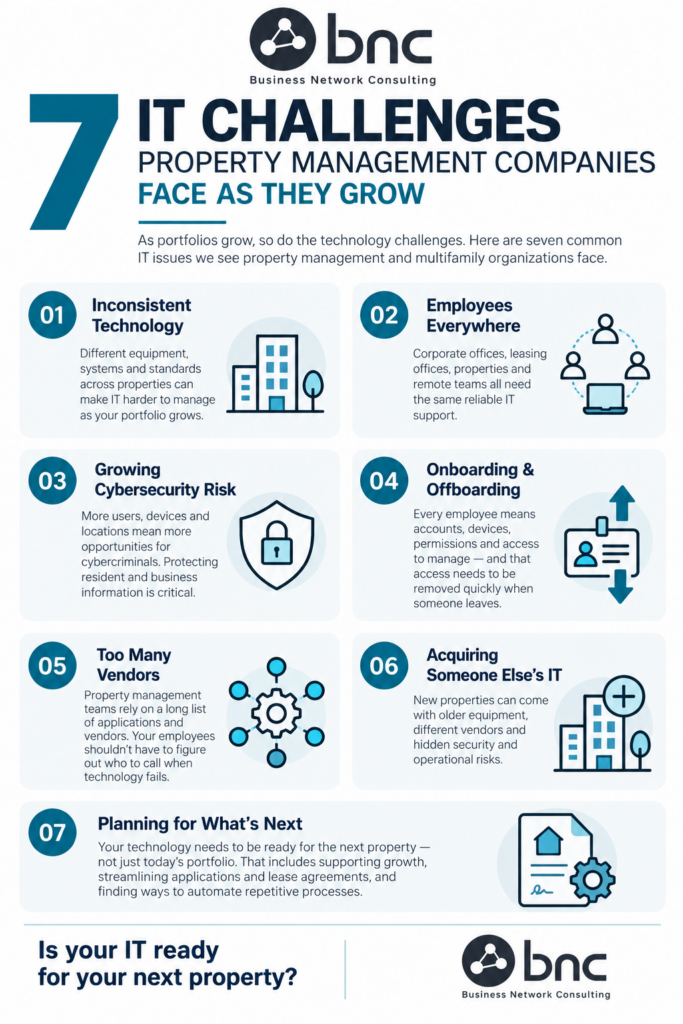
Property management companies have a lot of moving parts, and technology touches almost all of them. Corporate offices, leasing teams, individual properties, remote employees, resident systems, vendors, networks, devices, and it all must work together.
As a portfolio grows, keeping that technology consistent, secure, and easy for employees to use can get complicated quickly.
Here are seven IT challenges we commonly see property management and multifamily organizations face, and why addressing them early can make growth a whole lot easier.
- Every Property Starts Doing IT Differently
One property has newer computers. Another has aging network equipment. Someone at another location found their own solution for something three years ago, and now nobody remembers why it’s there. Sound familiar?
Technology differences across properties may seem small individually, but they add up. Eventually, your team is supporting multiple versions of what should essentially be the same environment.
Creating consistent standards for computers, networks, security, Microsoft 365, user access, and other core technology makes the entire portfolio easier to manage. It also makes adding the next property much easier.
- Your Employees Are Everywhere
Property management isn’t a single-office business.
Your employees may be at corporate headquarters, a regional office, a leasing office, an apartment community, working remotely, or moving between locations.
They still need the same thing when technology doesn’t work: Help.
Employees shouldn’t have to figure out who supports their particular location or whether they need to call the internet company, software vendor, or IT provider.
A centralized help desk gives everyone one place to start — regardless of where they’re working.
- Cybersecurity Gets More Complicated
More properties and more employees usually mean more devices, accounts, email addresses, applications, and ways to access company information.
Unfortunately, that also means more opportunities for cybercriminals.
Property management companies handle plenty of information worth protecting: resident information, financial data, employee records, lease documents, vendor information, credentials, and business communications.
That’s why cybersecurity needs to grow along with the portfolio. Multi-factor authentication, email security, endpoint protection, Microsoft 365 security, patching, backups, access controls, monitoring, and employee training should work together rather than operate as separate pieces.
- Onboarding and Offboarding Can Get Messy
A new employee may need a computer, email account, Microsoft 365 access, file permissions, application access, and the right security settings.
That’s a lot of little things to remember. And when someone leaves, all of that access needs to be addressed again — quickly.
Multiply that across multiple properties and frequent staffing changes, and it’s easy for something to get missed. A consistent onboarding and offboarding process that leverages automation helps new employees get productive faster and helps make sure former employees don’t retain access they no longer need.
- There Are A LOT of Vendors
Yardi. RealPage. Entrata. MRI. Internet providers. Phone systems. Hardware vendors. Security products.
The list can get long pretty quickly. Then something stops working. Is it the application? The computer? The network? The internet connection? A user permission? Microsoft 365?
Your property manager shouldn’t have to figure that out. Your IT provider should be able to troubleshoot the technology involved and work with the appropriate vendor when needed.
For your employees, it should be simple: Start with IT. Let IT figure out who needs to fix it.
- You Acquire a Property — and Its IT Problems
When you acquire a property, you’re not just acquiring buildings, leases, employees, and operations. You’re inheriting technology, too.
That might include older computers, network equipment, internet contracts, software, user accounts, security settings, vendors, and years of technology decisions made by someone else.
Before simply connecting that property to your existing environment, it’s worth understanding what you’re inheriting. A technology assessment can help identify what can stay, what needs to change, and what could create a security or operational risk.
Then the new property can be brought into your existing technology standards instead of becoming another IT island.
- Nobody Is Looking at What’s Next
When IT is constantly reacting to today’s problems, it’s difficult to plan for tomorrow. But growing property management companies need both.
What happens when you add five more properties? Open another regional office? Hire 30 employees? Move another system to the cloud? Replace aging computers across several locations? Those shouldn’t be surprises.
A good IT strategy looks ahead at infrastructure, cybersecurity, equipment lifecycles, cloud technology, workflow automation, budgets, business continuity, and future growth. Because the goal isn’t just to keep today’s technology running. It’s to use technology to help the business run better.
Is Your IT Ready for the Next Property?
Here’s a quick gut check. Can employees get help wherever they work? Are security standards consistent across your properties? Is onboarding and offboarding standardized? Do you know what technology is sitting at each location? Could you integrate a newly acquired property without reinventing the process?
And maybe the biggest question: If you added five properties tomorrow, would your IT environment be ready?
If that question makes you a little uncomfortable, it’s probably worth having a conversation.
BNC provides managed IT services for property management and multifamily organizations, including 24/7 help desk support, cybersecurity, Microsoft 365, cloud solutions, network management, backup and disaster recovery, and strategic IT consulting.
We can serve as your outsourced IT department or work alongside your existing IT team, with local teams serving Dallas–Fort Worth, Denver, and Austin.
Your property portfolio can get more complicated. Your IT doesn’t have to.